
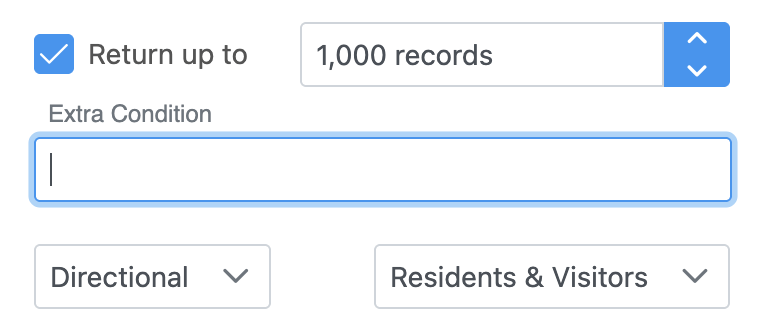
The Extra Condition filter is available on pages such as Table Query, Pivot Table, and Catchment Map. It provides advanced flexibility for generating specialized reports that cannot be created using the standard filters alone.
Function
The Extra Condition field accepts a valid SQL Where Clause. The table fields available for use depend on the Fligence product you are using.
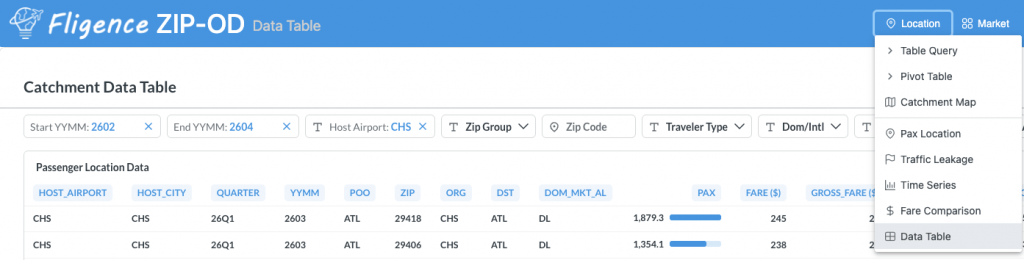
For Fligence Catchment and Fligence ZIP-OD, field names can be found on the Data Table page (Location → Data Table). When referencing fields in the Extra Condition filter, remove any spaces and units (for example, “($)”) from the displayed column names.
Example 1
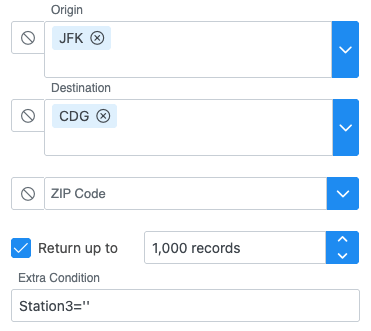
If you want to retrieve only non-stop traffic from JFK to CDG, you can enter the following condition in the Extra Condition filter:
station3=''This query returns only non-stop itineraries because all connecting itineraries have a non-empty station3 field. For a non-stop itinerary, station3 is blank, indicating that no connection point exists between the origin and destination.
Alternatively, you can enter the following condition in the Extra Condition filter to get the same result:
Legs=1Example 2
If you want to view only international markets only, you can enter the following condition in the Extra Condition filter:
DI='I'This query filters the underlying data to include only international O&D markets.
Example 3
Suppose you want to identify all traffic that uses the DFW–MIA flight segment, regardless of the passenger’s true origin and destination. You can enter the following condition:
(org = 'DFW' and station2 = 'MIA') or (station2 = 'DFW' and station3 = 'MIA') or (station3 = 'DFW' and station4 = 'MIA')This query returns all itineraries containing the DFW–MIA segment.
This is different from using DFW in the Origin filter and MIA in the Destination filter, which returns traffic with DFW as the true origin and MIA as the final destination (O&D traffic), rather than all traffic traveling on the DFW–MIA segment.
Caveats
The Extra Condition filter is a powerful tool for creating customized analyses. However, because it operates directly on the underlying data fields, it can sometimes conflict with other controls.
For example, if your Extra Condition references connecting points such as Station2, Station3, or Station4, you should avoid using the Directionality options (Bi-Directional, Non-Directional, or Bi-Directional Total Traffic). These directionality controls are designed to work only when no connecting points are specified or displayed. Using both features together may produce unexpected or misleading results.
Additionally, filters are applied before any aggregation is performed. If your goal is to display only markets with more than 1,000 passengers, adding a condition such as:
Pax > 1000may not produce the desired result. This is because the filter is evaluated against each individual record in the underlying data table before the records are aggregated to the market level.
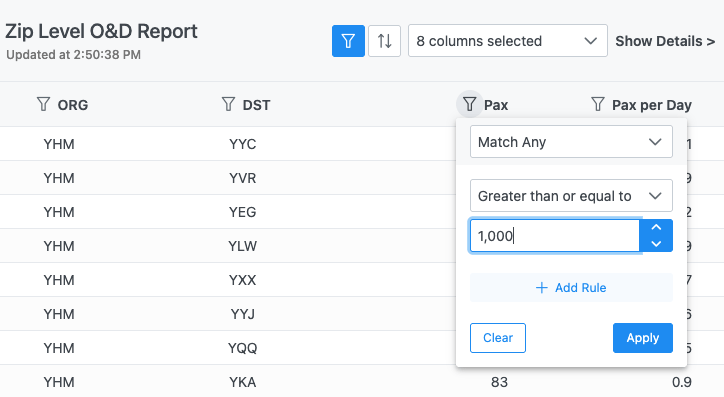
To achieve your intended result, first generate the full output without the passenger filter. Then, enable the column filter on the report output and apply a condition such as:
If you are unsure whether your Extra Condition is valid or may conflict with other filters, please contact support@flightbi.com for assistance before relying on the results.