FlightBI provides all user guides online. To access the Fligence Planning User Guide, you can either:
- In the Fligence Planning app, navigate to the [Your User Name] > Product User Guide menu.
- Visit the direct link at https://flightbi.com/fligence-planning-user-guide/. This is also accessible from the FlightBI homepage by selecting Contract Us > Product User Guide > Fligence Planning, as shown in Figure 1. Accessing through this method requires a password. Please obtain it by contacting support@fligence.com.
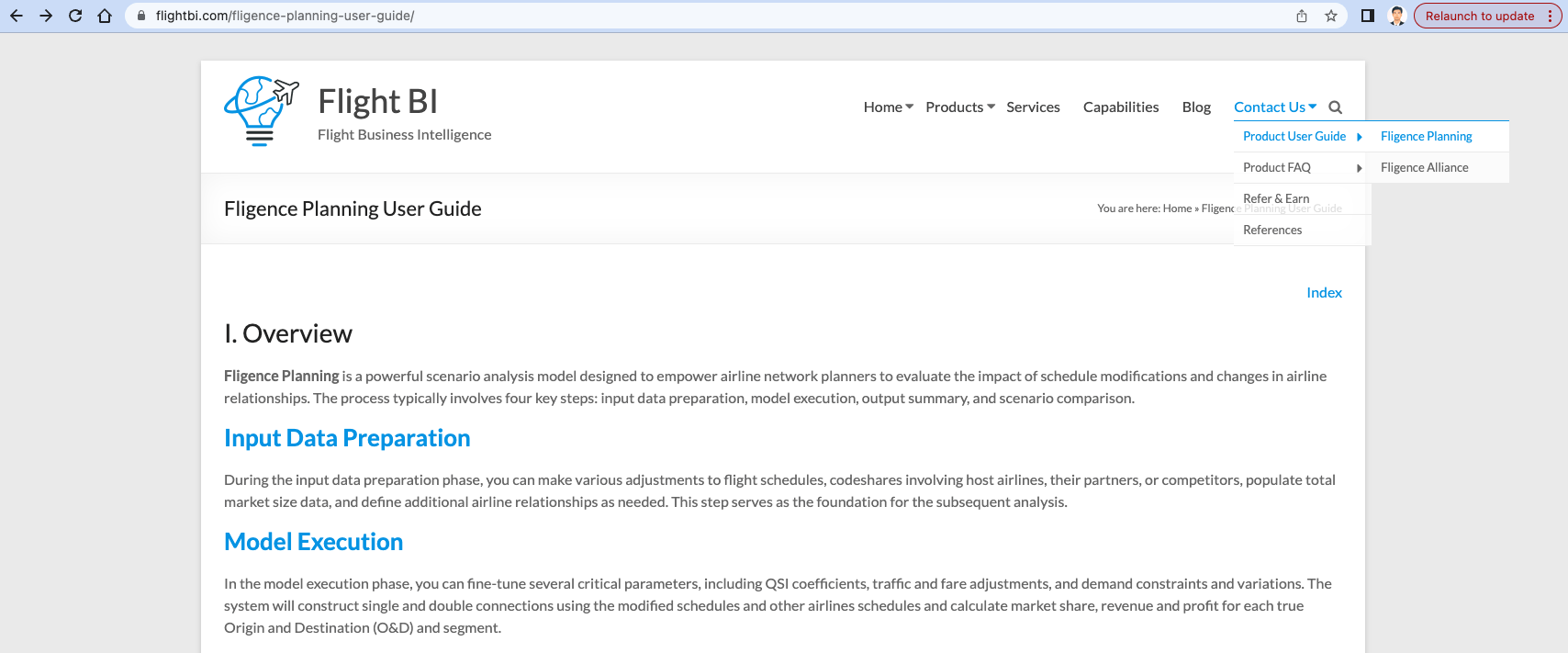
Figure 1 is the entry page of the Fligence Planning User Guide. In the upper right corner, there’s a link to the Index page, where you’ll find links to all pages of the user guide. You can also navigate to specific sections by clicking on the blue text, which are hyperlinks (e.g., Input Data Preparation and Model Execution in Figure 1).
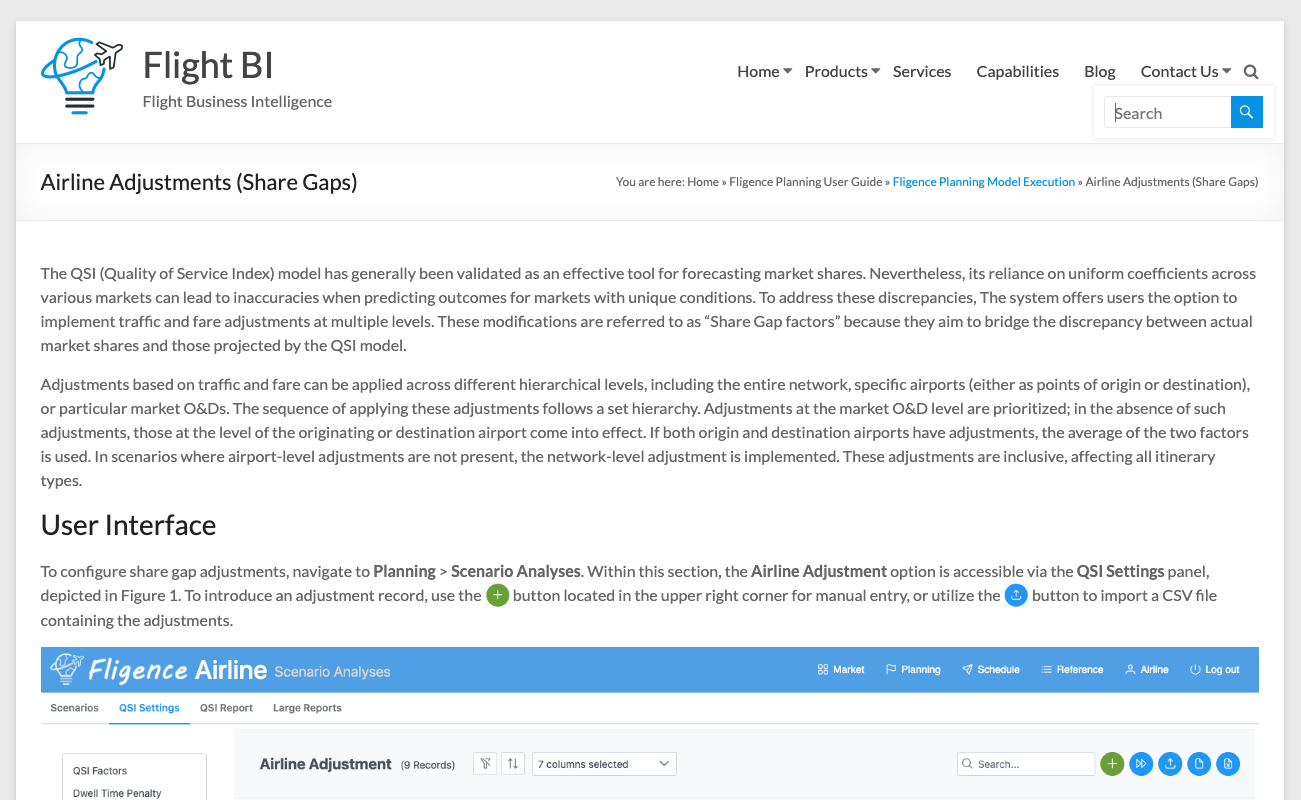
Figure 2 shows an example of a guide page. At the top, you’ll find a common title section. Clicking the magnifier icon brings up a search box, allowing you to search for specific keywords within the guide. Below the title section is a navigation bar displaying the page title and the path of the current page. You can return to higher-level pages by clicking on the links in the navigation path. For example, Fligence Planning Model Execution is the parent of the current page in Figure 2.